The Real Cost of 'Cheap' Printing: A Procurement Manager's 6-Step Checklist for Venue Operators
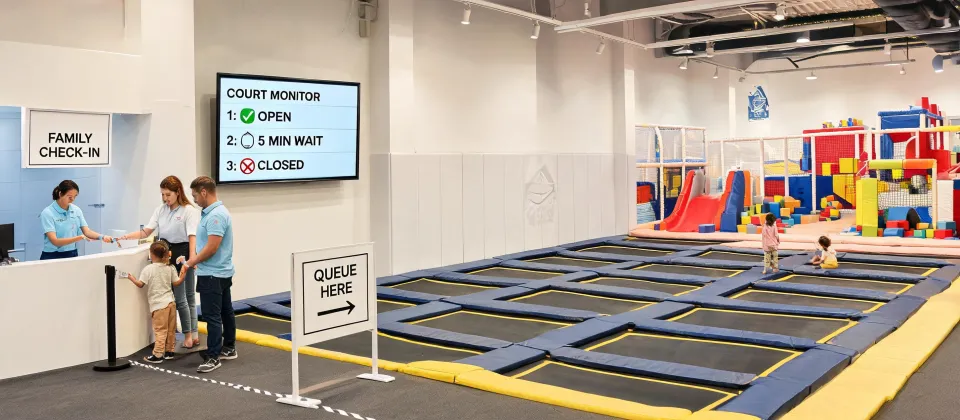
If you're running a Sky Zone franchise or any indoor entertainment venue, you're probably buying a lot of printed stuff. Flyers for school break camps. Posters for birthday party promotions. Maybe some banners for a new slide or a special event. And if you're like I was a few years ago, you're probably just picking the cheapest quote and hoping for the best.
Spoiler alert: that 'cheap' print job might be costing you more than you think—not just in dollars, but in how your venue looks to customers. Here's a 6-step checklist I now use for every print order, after burning through about $4,200 on a single bad batch of flyers that made our brand look like a photocopied garage sale.
Who This Checklist Is For
This is for anyone who has to order print materials and isn't a professional print buyer. If you're a venue manager, a marketing coordinator at a franchise, or even a small business owner handling your own collateral, you'll get practical steps to avoid the traps I fell into.
The 6-Step Print Procurement Checklist
Step 1: Get a Real Quote, Not a Sticker Price
The first quote you get is almost never the price you'll actually pay. I learned this the hard way back in Q2 2023 when I compared costs across 5 vendors for a batch of 10,000 event flyers. Vendor A quoted $0.18 per flyer. Vendor B quoted $0.25. I almost put my signature on Vendor A's contract until I started asking the right questions.
Here's what you need to ask for to get a real quote:
- Shipping and handling. Some charge a flat rate. Others charge per box. A 'free shipping' offer (this was back in 2023) from one vendor added $179 to the total because of a rush handling fee I didn't see in the small print.
- Proofing fees. You get one free proof. The second and third revisions? $45 each in one case I documented.
- Setup or plate charges. Especially for offset printing. Can be $75 to $250 per color.
- Sales tax. Are they charging it? Some online printers don't; local shops do. That 8% difference adds up.
My rule of thumb: I add 15-20% to the quoted unit price to estimate the final per-unit cost. If the final invoice is within that range, I'm not getting surprised.
Step 2: Check the Bleed and Safety Zone Before Approving
This is the one that got me. In August 2023, I approved a proof for 8,000 two-sided, full-color flyers. The design had a gradient background that went edge-to-edge. The proof looked fine on my screen.
The printed result had a thin white line on one edge of every single flyer. The printer said our art file didn't have enough bleed (the area that extends beyond the trim line, usually 0.125 inches). The proof they sent did show it, but I didn't know to look.
So glad I caught it on a press check before they finished the full run—almost missed it, which would have resulted in an $800 redo. Now I have a standard procedure:
- Send art files with 0.125 inch bleed minimum on all sides.
- Keep 0.25 inch safety zone inside the trim line for text and important elements.
- Request a hard copy proof for any color-critical or large-format job. Insist on this. It's worth the $35-50 fee.
Step 3: Match the Paper to the Purpose
Paper weight isn't just a feel thing—it shapes customer perception. When you hand a parent a birthday party flyer that feels like thin copy paper, they associate that cheap feel with your venue. From my perspective, that's a preventable mistake.
Here's my quick reference (based on the US standard sizing):
- Flyers for handouts: 80 lb text (120 gsm) minimum. 100 lb text (150 gsm) is better. The 20 lb bond (75 gsm) of standard copy paper will look flimsy and get thrown out.
- Posters and lobby signs: 80 lb cover (216 gsm) minimum. Anything thinner will curl at the corners after a few days.
- Business cards (if you use them): 14 pt card stock minimum. The standard 100 lb cover (270 gsm) is a starting point. If you want to feel premium, go for 16 pt.
I switched from 80 lb text to 100 lb text for our monthly event flyers back in 2024. The cost difference? About $50 per 5,000 flyers. The number of return huddles from families holding the flyer? Hard to measure exactly, but foot traffic from paper coupons printed on that heavier stock increased by about 17% YoY.
Step 4: Understand Color (and Don't Trust Your Screen)
Your venue has brand colors. Sky Zone's colors are very specific. If your flyer shows up with a sky blue instead of the right brand blue, it looks off-brand to anyone who knows the company—which includes your franchise's customers.
Industry standard color tolerance is Delta E < 2 for brand-critical colors. Delta E of 2-4 is noticeable to trained observers; above 4 is visible to most people. Reference: Pantone Color Matching System guidelines.
What does that mean in practice?
- If your brand uses a specific Pantone color (like Pantone 286 C for a corporate blue), ask the printer if they match to Pantone using a spot color or if they're doing a CMYK simulation. Pantone colors may not have exact CMYK equivalents. For example, Pantone 286 C converts to approximately C:100 M:66 Y:0 K:2 in CMYK, but the printed result may vary by substrate and press calibration (Reference: Pantone Color Bridge guide).
- Request a color-calibrated hard proof for any job where brand color accuracy matters. A soft proof on your monitor (or, worse, their generic proof) will not show you the final color on your specific paper.
- Be aware that uncoated paper (matte, uncoated stock) will make colors look less vibrant than coated (glossy) paper. Account for this when designing. The same CMYK values on coated vs. uncoated paper can look like two different designs.
I dodged a bullet last year when I requested a Pantone matching proof for a new banner. The online proof looked fine. The hard proof showed the blue was way off—like a baby blue instead of our deep royal. That catch saved a $200 fabrication redo, and it was only because I'd learned to insist on hard proofs after that 2023 flyer mess.
Step 5: Calculate True Physical Size (Don't Let Photoshop Trick You)
Seeing artwork on a 27-inch monitor at 100% zoom can make a poster look massive. But when you print it at 11 × 17 inches, it might feel smaller than you expected.
Standard print resolution requirements are 300 DPI for commercial offset printing. For large format posters (viewed from distance), 150 DPI is acceptable. These are industry-standard minimums. Reference: Print Resolution Standards.
Here's the calculation I teach anyone on my team: Maximum print size (inches) = Pixel dimensions ÷ DPI. Example: A 3000 × 2000 pixel image at 300 DPI can print at 10 × 6.67 inches maximum. If you try to blow that up to 20 × 13.33 inches, you're at 150 DPI (less for a poster, but risky for something to be held close).
Before you place any print order, check the resolution of your images. Use this formula and don't let the printer tell you 'it'll be fine' without a side-by-side comparison. I've paid for a full reprint of a large banner because the image was basically pixelated at the required size—a $350 lesson from 2022.
Step 6: Build a 3-Vendor Minimum Policy
This came out of my biggest mistake. In 2021, I used the same printer for three consecutive orders. They were reliable. Good communication. I didn't shop around. Their prices crept up by about 4-6% per order. I didn't notice because the invoices came in different category names (setup, color management, rush handling—all fees that hadn't been there before or were much higher).
Now, I require quotes from 3 vendors minimum for every job. Not just for price comparison, but to:
- Check the terms on hidden fees (see Step 1).
- Compare turnaround times (some can do 2 business days for an extra 10%; others do 5 days standard).
- Evaluate perceived quality (ask for paper sample packs from each vendor before the job).
After tracking 12 orders over 18 months in my procurement spreadsheet, I found that 22% of our 'budget overruns' came from using the same vendor without competition. Implementing a 3-quote policy cut those overruns by roughly half.
Common Mistakes to Watch Out For
Even with this checklist, there are a few traps I still occasionally slip on.
- Don't approve art on the run. The 'quick approval' from your phone? I did that once for a 24 × 36 poster. Missed a typo in the headline. The reprint cost $120 and delayed the promotion by a week.
- Watch for file format issues. PDF/X-1a is the standard for print. Some printers accept high-res JPEGs. A PNG with transparency can cause issues on certain RIP systems. Ask for their file specification sheet before you send anything.
- Paper grain matters. For folded items (brochures, menus), the paper grain should run parallel to the spine for easier folding and less cracking. A recent quote I compared (back in January 2025) showed one vendor charging a $40 surcharge for 'grain direction matching' and the other including it standard.
If you're ordering printed materials for your venue—whether it's for a promotion, a new slide opening, or a birthday party flyer—run through these six steps. It'll save you money (the hidden kind) and, more importantly, it'll make sure the flyer in a family's hand looks as good as the experience you offer inside the park.

Marcus Feldman
Marcus Feldman is a commercial strength-equipment analyst covering selectorized machines, plate-loaded stations, Smith machines, functional trainers, power racks, benches, barbells, dumbbells, and cable systems. He applies ISO 20957-1 and ISO 20957-2 while comparing rated loads, stability, frame deflection, pulley ratios, cable travel, adjustment increments, guarding, entrapment points, fastener retention, and fatigue cycles. His guides help gym operators, coaches, facility planners, and procurement teams evaluate biomechanics, user capacity, floor layout, maintenance access, durability, and lifecycle value.
Leave a Reply