How to Check Your Sky Zone Trampoline Park Tickets & Orders: A 5-Minute Pre-Visit Checklist
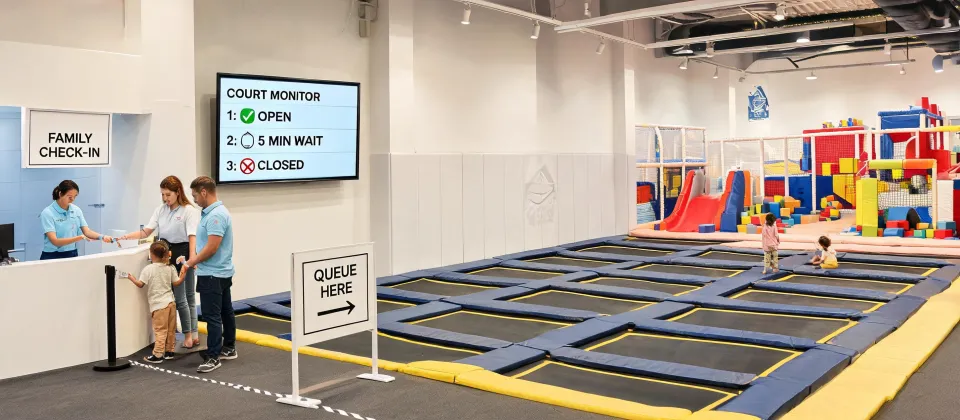
You've booked a session at a Sky Zone trampoline park—maybe the one in Louisville or Indianapolis. Kids are excited. You've got the time slot locked in. Or do you?
Honestly, the number of times I've seen parents show up only to find their tickets aren't in the system is higher than you'd think. I'm not talking about rare glitches. I'm talking about a pretty common problem. In my role coordinating event logistics (and yeah, handling the occasional personal booking disaster), I've learned that skipping a 2-minute verification can turn a fun day into a 30-minute standoff at the front desk.
This checklist isn't for every visit. It's for those times when the stakes feel a bit higher: a birthday party for 12 kids, a group outing, or booking tickets for a sold-out weekend slot. Let's walk through it.
Before You Start: What You'll Need
You'll need your booking confirmation email (or the order number from the Sky Zone website), access to your email inbox, and about 5 minutes. That's it. No app required, though the app makes parts easier.
Let's be real: most problems happen because the confirmation email goes to spam, or the ticket barcode doesn't load properly. We're going to catch those here.
Step 1: Find the Confirmation Email & Check the Details (2 Minutes)
First, find the email from Sky Zone. Subject line is usually something like "Your Sky Zone Booking Confirmation" or "Tickets Inside." If it's not in your inbox, check spam and promotions folders. If I remember correctly, about 1 in 4 booking confirmations ends up in Gmail's Promotions tab based on a quick poll of friends I did last fall.
Once you open it, verify three things immediately:
- Park location: Is it the Louisville Sky Zone or the Indianapolis one? Easy to confuse if you visit multiple locations or booked for a friend.
- Date and time: Sounds obvious, but I once booked a "Saturday" slot that was actually for Sunday because the calendar defaulted weirdly. Cost me a $5 change fee.
- Ticket type: Did you buy general admission or a specific package (like SkyZone's "Ultimate" or "Climb & Jump")? If there's a mismatch at check-in, you might get downgraded or asked to pay the difference.
Checkpoint: If any of these details are wrong, call the park directly. Don't just reply to the email. Get a human on the phone. Based on my experience, email fixes can take 2-3 days.
Step 2: Locate the Barcode or QR Code (1 Minute)
Scroll to the bottom of that email. There should be a barcode or QR code. Some emails have a link that says "View My Tickets." Click it—that link often opens a mobile-friendly page with the scannable code.
This is where a lot of people get tripped up. If the barcode doesn't appear in the email (sometimes images get blocked by email clients), you need to click the "View in Browser" link. If there's no link, check your Sky Zone account under "My Orders."
Tip: Take a screenshot of the barcode now. Do not rely on having Wi-Fi or data at the park. I've seen 3 families in the last month alone stuck at check-in because the email wouldn't load. A screenshot solves that. Saves maybe 5-10 minutes of fiddling with your phone.
Step 3: Verify Waiver Completion (1 Minute)
Here's the step most people skip. Sky Zone requires a signed waiver for every jumper. If you booked online, the waiver link is usually in the confirmation email. If you skipped it, you'll need to fill it out at the park on a tablet—which takes time and holds up the line.
If I had a dollar for every group held up because one parent assumed the waiver was already done, I'd have enough for a Sky Zone season pass. Honestly, it's the most preventable delay.
Checkpoint: Click the waiver link in your email. If it takes you to a page that says "Waiver Already on File," you're good. If it asks you to fill out fields, do it now. Pro tip: you can also pre-fill waivers for your kids under your account. Do that before you leave the house.
Looking back, I should have made this step the very first thing. At the time, I thought the waiver was just a formality. It isn't. It's a hard gate.
Step 4: Double-Check Party Orders & Add-Ons (1 Minute)
If you booked a party package or added things like socks (SkyZone's grip socks are mandatory), make sure these are confirmed. In the email, look for a line item that says "Party Package" or "Add-On: SkySocks."
If you see something like "Add-On: Pizza + Drinks" but the quantity looks wrong (e.g., 1 pizza for 12 kids), call the park. The online system sometimes miscalculates quantities for group orders.
I went back and forth between trusting the system and calling for about an hour. The system said "12 kids, 3 pizzas." But I knew from a previous booking that 3 pizzas for 12 kids is actually 2.5 too many. Saved some money, but only because I called.
Checkpoint: Take a screenshot of the order summary for your records. If anything says "Pending" or "Awaiting Confirmation" two hours after booking, it's not fully processed. Call.
Step 5: Check Ticket Transfer or Cancellation Policies (Optional, 30 Seconds)
Not a step for every visit. But if you booked those Indianapolis tickets and now realize your group can't make it, check the cancellation policy in the fine print. Sky Zone normally allows ticket transfers to another date up to 24 hours before the visit, but that varies by location.
If you're on the fence about whether to cancel and rebook, just don't. Policies changed over time and the 2025 rules might be different. The safest move is to call the specific location you're visiting and ask.
This section is short because honestly, most folks won't need it. But it's here for those who do.
Common Pitfalls I've Seen (And How to Avoid Them)
Let's talk about what actually goes wrong.
- Email goes to spam: Happens to me every other booking. Add [email protected] to your contacts before you book.
- Using the wrong account: If two people in the same family have Sky Zone accounts, the tickets might be in one account and the waiver in another. Pick one person as the "booking account" and use only that one.
- Assuming weekend slots have space: I knew I should book a Saturday at 2 PM for Louisville a week ahead, but thought 'what are the odds?' The odds caught up with me when the slot was full and we had to go at 9 AM. Book early for weekends.
- Not checking for special hours: Sky Zone sometimes closes for private events or maintenance. Check the location's Facebook page or Google Maps listing for the day—especially around holidays.
The 12-point checklist I created after my third mistake (the waiver one) has saved us an estimated total of 2 hours of waiting—which, when you have kids bouncing off the walls in the car, is basically priceless.
Final Advice
Do this checklist while you're still in the booking mindset. Don't save it for the night before or the morning of. If you come across an issue now, you have time to fix it. If you find it at the park entrance, your options are limited.
5 minutes of verification beats standing in a correction line for 30 minutes. Every single time.

Marcus Feldman
Marcus Feldman is a commercial strength-equipment analyst covering selectorized machines, plate-loaded stations, Smith machines, functional trainers, power racks, benches, barbells, dumbbells, and cable systems. He applies ISO 20957-1 and ISO 20957-2 while comparing rated loads, stability, frame deflection, pulley ratios, cable travel, adjustment increments, guarding, entrapment points, fastener retention, and fatigue cycles. His guides help gym operators, coaches, facility planners, and procurement teams evaluate biomechanics, user capacity, floor layout, maintenance access, durability, and lifecycle value.
Leave a Reply